
Executive Overview
Where the firm stands, before anyone has to ask.
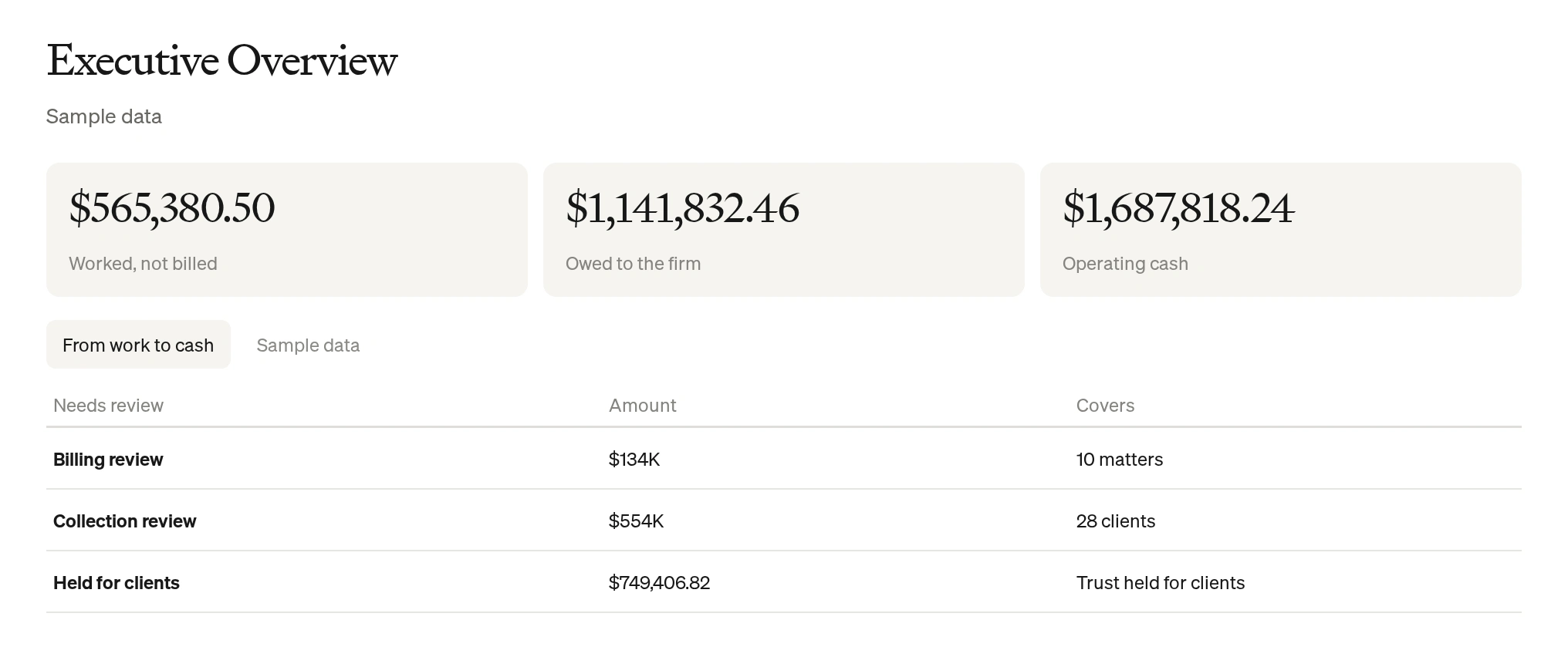
Unbilled work, what clients owe and operating cash on one screen, with client trust money shown on its own.
What it shows
The firm's money, in the order it moves.
From work to cash
Work done but not billed, bills not yet paid, and the cash the firm can actually use.
What needs reviewReview
Billing and collections to act on or delegate, and any trust balance below zero.
One partners' meeting, start to finish
From a headline number to the matters behind it.
Open the overview.
Unbilled work, receivables and operating cash, side by side, before anyone asks.
Executive OverviewAsk what's behind it.
Click any figure to see the matters and records that make it up.
Every number explainedCompare the year.
Invoices issued and collected each month, against last year.
This year against lastAct on it.
Billing and collection items go to the Action Inbox, where someone takes action or delegates.
Action InboxBuilt for the partners' meeting
Clear numbers, kept in their place.
Operating cash, not trust.
Client money is shown on its own and never counted as the firm's cash.
Every figure traced.
Each number links to the matters and records behind it.
Your firm's own data.
Figures come from the systems you already use, not from estimates.
Questions
What partners ask us about the overview.
Does it replace our accounting system?
No. It reads from the systems you already use and puts the numbers that matter in one place.
Is trust money counted in operating cash?
No. Client money in trust is shown on its own, with any negative balances flagged.
Can we see where a number comes from?
Yes. Every figure opens to the matters and records behind it.
Which systems does it work with?
FirmIntel works alongside your existing legal accounting and practice-management systems. We'll go through yours on a call.
Are we on track for the year?
See where the firm stands before the partners' meeting, not after it.
Book a demo